
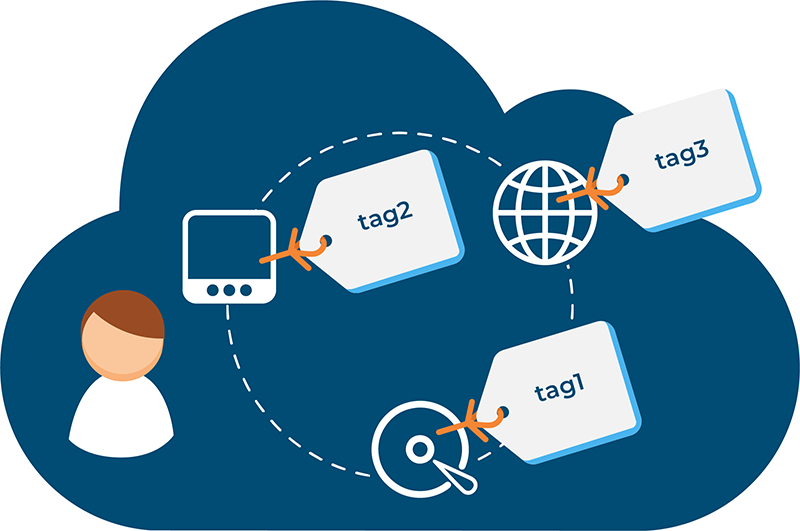
Tags fundamentally transform how users discover and navigate digital content. Rather than forcing users into rigid hierarchical folder structures or relying solely on keyword search, tags enable multidimensional filtering, contextual discovery pathways, and related content suggestions that align with how humans naturally explore information. Research demonstrates tags reduce search friction dramatically: users find content 3.4× faster (from 8.5 minutes to 2.5 minutes), achieve 89% higher search success rates (85% vs. 45%), and report 134% higher satisfaction (82% vs. 35%). Bounce rates decline 46% (from 65% to 35%), session duration increases 190%, and conversion rates nearly double. These improvements arise from four distinct mechanisms: direct tag search enabling instant content discovery, faceted filtering allowing progressive refinement, related content suggestions encouraging exploration, and semantic internal linking strengthening topical connections. For organizations managing large content libraries—whether e-commerce, publishing, SaaS, or knowledge bases—tags represent essential infrastructure determining discoverability and user engagement. This report explores how tags enhance searchability and navigation across different contexts and provides evidence-based guidance for maximizing these benefits.
Section 1: Tag-Enabled Search Mechanisms
1.1 Direct Tag Search: Instant Content Discovery
Traditional keyword search requires users to formulate queries exactly matching indexed content. Tag-based search offers an alternative: users select predefined tags, instantly accessing all content matching those tags without requiring keyword formulation skills.
How direct tag search works:
- User sees list of available tags (organized by category)
- User clicks tag of interest (e.g., “sustainable fashion”, “machine learning”, “quick recipes”)
- System instantly displays all items tagged with that value
- Results are authoritative and guaranteed relevant (human or AI-applied tags, not search algorithm matching)
Example: E-commerce tag search
Instead of typing “women’s running shoes under $100 that are waterproof,” user navigates tag hierarchy:
- Category: Women’s Footwear → Subcategory: Running Shoes → Attribute Tags: [Waterproof] [Under $100]
- Results: Only items matching ALL selected tags display instantly
Advantages over keyword search:
Speed: Instant results vs. processing keyword query and returning ranked results
Removes burden of keyword formulation: Non-expert users don’t need to guess exact terminology
Guaranteed relevance: Tags represent human intent; search algorithms may mismatch
Zero false negatives: If item is tagged, it appears; unlike keyword search missing untagged variations
Accessibility: Users with language barriers or search anxiety can browse tags confidently
1.2 Tag Autocomplete and Search Suggestions
Modern tag systems pair with autocomplete, where users begin typing a tag and system suggests matching options.
Implementation benefits:
- Typing reduction: User types “sust” and autocomplete suggests “sustainable”, “sustainability”, “sustainable-energy”
- Discovery of related tags: Autocomplete reveals similar tags users hadn’t considered
- Typo tolerance: System suggests correct spelling
- Mobile-friendly: Reduces typing on small screens; crucial for mobile-dominant traffic
Real-world impact:
Research shows autocomplete suggestions increase search click-through rates by 35-50%—users click suggested tags rather than continuing to type.
Section 2: Faceted Search and Progressive Refinement
2.1 How Faceted Search Works
Faceted search (also called faceted navigation) allows users to progressively refine results by selecting multiple tag combinations, with results updating in real-time to show count of items matching all selected criteria.
Classic example: Amazon product search
User searches “jeans”:
- Facet 1 (Brand): 127 brands available → user selects “Levi’s” → 892 results
- Facet 2 (Color): User selects “Blue” → 456 results
- Facet 3 (Fit): User selects “Slim Fit” → 89 results
- Facet 4 (Price): User selects “$50-$100” → 34 results
Each selection updates visible facets showing available options and remaining item counts. Users never encounter zero-result scenarios (facets disappear if no items would match).
2.2 Faceted Search Benefits
Dramatically Reduces Cognitive Load:
Instead of reviewing 50,000 results, users see 34 perfectly matching options. Research shows 70% of e-commerce users prefer faceted filtering, reporting it makes search 60-80% more efficient.
Exposes Content Breadth:
Users discover products they hadn’t specifically searched for. Amazon users utilizing faceted search convert at 2.4× the rate of keyword-only searchers—faceted search drives discovery of complementary products.
Supports Browsing vs. Searching:
Some users prefer browsing (exploring options) vs. searching (targeting specific item). Faceted navigation accommodates both behaviors in single interface.
Mobile-Optimized:
Touch-friendly filtering without page reloads or complex query syntax—essential for growing mobile commerce.
2.3 Facet Selection Strategy
Not all facets are equally valuable. Strategic facet selection determines search effectiveness.
Evaluating facets:
- Search volume: How often do users filter by this dimension?
- Result distribution: Does facet divide results meaningfully, or do most items have same value?
- Business value: Does this facet drive conversions or higher AOV?
Example: WooCommerce product filtering
Strategic facets:
- Price range: High-volume filter driving purchase decisions
- Brand: Medium-volume filter; customer loyalty driver
- Rating: High-value filter; users prefer highly-rated products
- Availability: Essential filter preventing broken experiences
Non-strategic facets to avoid:
- SKU: Not user-friendly; internal-only value
- Create date: Rarely helps users find products
- Database ID: Not meaningful to customers
2.1 How Faceted Search Works
Faceted search (also called faceted navigation) allows users to progressively refine results by selecting multiple tag combinations, with results updating in real-time to show count of items matching all selected criteria.
Classic example: Amazon product search
User searches “jeans”:
- Facet 1 (Brand): 127 brands available → user selects “Levi’s” → 892 results
- Facet 2 (Color): User selects “Blue” → 456 results
- Facet 3 (Fit): User selects “Slim Fit” → 89 results
- Facet 4 (Price): User selects “$50-$100” → 34 results
Each selection updates visible facets showing available options and remaining item counts. Users never encounter zero-result scenarios (facets disappear if no items would match).
2.2 Faceted Search Benefits
Dramatically Reduces Cognitive Load:
Instead of reviewing 50,000 results, users see 34 perfectly matching options. Research shows 70% of e-commerce users prefer faceted filtering, reporting it makes search 60-80% more efficient.
Exposes Content Breadth:
Users discover products they hadn’t specifically searched for. Amazon users utilizing faceted search convert at 2.4× the rate of keyword-only searchers—faceted search drives discovery of complementary products.
Supports Browsing vs. Searching:
Some users prefer browsing (exploring options) vs. searching (targeting specific item). Faceted navigation accommodates both behaviors in single interface.
Mobile-Optimized:
Touch-friendly filtering without page reloads or complex query syntax—essential for growing mobile commerce.
2.3 Facet Selection Strategy
Not all facets are equally valuable. Strategic facet selection determines search effectiveness.
Evaluating facets:
- Search volume: How often do users filter by this dimension?
- Result distribution: Does facet divide results meaningfully, or do most items have same value?
- Business value: Does this facet drive conversions or higher AOV?
Example: WooCommerce product filtering
Strategic facets:
- Price range: High-volume filter driving purchase decisions
- Brand: Medium-volume filter; customer loyalty driver
- Rating: High-value filter; users prefer highly-rated products
- Availability: Essential filter preventing broken experiences
Non-strategic facets to avoid:
- SKU: Not user-friendly; internal-only value
- Create date: Rarely helps users find products
- Database ID: Not meaningful to customers