
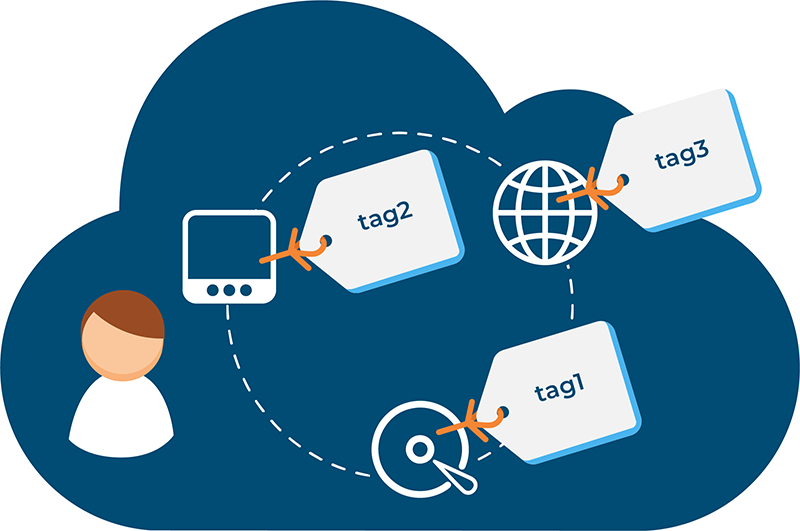
Tagging systems represent a critical infrastructure for managing digital information at scale. Rather than forcing content into rigid hierarchical folder structures, tags enable flexible, multidimensional organization that mirrors how humans naturally search for and conceptualize information. The business case for effective tagging is compelling: Fortune 500 companies lose $31.5 billion annually by failing to share and organize knowledge effectively, while employees waste an average of 21% of their workweek searching for information they cannot locate. Organizations implementing systematic tagging approaches report 30–50% reductions in search time, 25–30% improvements in team productivity, and significant gains in content reusability and collaborative efficiency. This report examines how tagging systems fundamentally transform content organization and deliver measurable organizational value.
The Problem: Information Chaos Without Tagging
Before exploring tagging solutions, understanding the operational consequences of poor content organization provides essential context. Digital organizations accumulate vast volumes of content—documents, images, videos, code repositories, customer assets, marketing materials, and institutional knowledge. Without systematic organization, this content becomes rapidly inaccessible.
The costs of disorganization are quantifiable:
- Knowledge Loss: Fortune 500 companies lose $31.5 billion annually by failing to share knowledge effectively, primarily due to inability to locate and retrieve information
- Search Inefficiency: Employees waste an average of 21% of their workweek (roughly 8 hours per 40-hour week) searching for information needed to perform their jobs
- Organizational Scale Impact: A 100-person company with $60,000 average salaries loses $62,500 annually when each employee wastes just 5 minutes daily searching for answers
- Data Quality Costs: Companies lose $12.9 million annually on average due to poor data quality and duplicated efforts
- Cross-Functional Friction: Siloed knowledge slows cross-functional collaboration by up to 30%, leading to redundant work and misalignment
These costs compound beyond search time. Duplicated work, repeated mistakes, and delayed decision-making create productivity losses that amount to approximately 25% of annual revenue for typical organizations. For a Fortune 500 company with $9 billion in revenue, this translates to $2.4 billion in lost value annually.
What Tagging Systems Are and How They Function
Tagging systems attach descriptive metadata labels to digital content, enabling flexible, non-hierarchical organization. Unlike traditional folder structures that force binary placement decisions (a document must exist in exactly one folder), tags allow content to simultaneously belong to multiple categories based on different classification dimensions.
For example, a marketing campaign document might be tagged simultaneously as:
- Campaign Type: “Q1 Launch”
- Department: “Marketing”
- Product Line: “Enterprise Software”
- Status: “Approved”
- Audience: “B2B Buyers”
A team member searching by any of these dimensions will discover the document—a flexibility impossible with traditional folders. The same document also appears in different filtered views for different stakeholders: a compliance officer sees it under “Approved,” while a sales team sees it under “Enterprise Software,” all within the same unified system.
Core tagging architecture components:
- Tags: Descriptive labels assigned to content
- Taxonomy: Hierarchical structure organizing tags into logical categories and subcategories
- Metadata Standards: Agreed-upon tag naming conventions and definitions ensuring consistency
- Tagging Rules: Logic governing when specific tags should be applied
- Automated Systems: AI-powered tools that automatically assign tags based on content analysis
- User Interface: CMS integration enabling straightforward tagging during content creation
1. Enhanced Search and Discoverability
Tagging fundamentally transforms how users locate content. Traditional keyword search alone is insufficient because terminology varies—employees might search for “remote work,” “telecommuting,” “work from home,” or “distributed team,” missing valuable resources tagged with alternative terminology.
Effective tagging systems connect content with multiple related keywords and concepts, ensuring discovery regardless of search terminology. A document tagged simultaneously with “remote work,” “telecommuting,” and “work from home” appears in all searches using these terms, while users can also filter by tags like “policy,” “management,” or “best practices” to narrow results further.
Measurable outcomes: Organizations reduce information search time by 30–50% through proper tagging, while refined search through tag filtering dramatically reduces irrelevant results. This translates directly to employee time savings: a company with 30,000 employees might recover $72 million annually in productive time by reducing search inefficiency.
2. Content Discoverability and Cross-Functional Knowledge Sharing
Beyond search, tags enable organic content discovery. When users browse tagged content, related materials appear through shared tag associations—users viewing a “data analytics” article automatically see recommendations for “data visualization” and “big data” content. This serendipitous discovery mechanism accelerates learning and reduces duplicated work.
Moreover, tagging enables visibility across organizational silos. Marketing, IT, and legal teams might not naturally communicate, but well-designed tagging systems create natural bridges through overlapping tags. A “compliance” tag appears in both legal and IT contexts, helping teams recognize related work and collaborate. This visibility eliminates the problem where teams redundantly solve the same problem independently, wasting resources and creating inconsistency.
3. Prevention of Content Duplication
One of tagging’s most valuable—yet underappreciated—functions is preventing redundant content creation. When teams can quickly locate existing resources through tags, they reuse or adapt existing materials rather than starting from scratch.
For organizations managing large content libraries, this efficiency is transformative. A product team searching for “product launch templates” using tags can discover existing templates and adapt them, rather than spending days creating new ones. Over time, this aggregates to massive time savings: instead of 50% of content development effort going toward creating content that already exists, organizations might reduce duplication to 5–10%.
The governance advantage is equally important: reducing duplication prevents keyword cannibalization in SEO (multiple pages competing for the same search term), maintains brand messaging consistency, and reduces storage and maintenance overhead.
4. Structured, Composable Content Creation
For organizations using headless CMSs and structured content approaches, tagging enables a “modular building blocks” methodology. Rather than recreating components repeatedly, teams tag existing content components—headers, product descriptions, customer testimonials, calls-to-action—and rapidly assemble new pages by pulling tagged components.
This approach dramatically accelerates time-to-market. Instead of days to create a new product page, teams can assemble one in hours by combining tagged components. Maintenance also becomes easier: updating a tagged component instantly propagates changes across all pages using that component.
5. Systematic Content Governance and Auditing
Well-tagged content enables governance teams to conduct systematic audits and maintenance. Instead of manually reviewing thousands of documents to identify outdated content, governance teams tag content with “policy version 2.0” and can instantly identify all affected documents when policy updates occur.
Tags also track content lifecycle status—”draft,” “approved,” “published,” “expired,” “requires review”—enabling proactive maintenance. Teams can identify low-traffic tags (potentially indicating outdated content) and remove clutter systematically. This governance prevents content rot, where organizations accumulate technical debt through obsolete, conflicting, or duplicate content.
Additionally, for compliance-heavy industries, tagging enables rapid identification of content requiring reapproval. Legal teams searching for “GDPR compliance” tags can identify all potentially affected content and schedule reviews in coordinated batches rather than discovering compliance gaps reactively.
6. Team Collaboration and Shared Language
When teams establish consistent tagging standards, they develop a shared vocabulary—a common understanding of organizational concepts and their relationships. This shared language is particularly valuable in organizations with diverse departments, geographies, or expertise areas.
When metadata tagging systems define terms consistently, team members understand content faster. A marketing team and product team using identical tagging definitions can collaborate more effectively than teams using separate categorization systems. This common ground reduces misunderstandings, accelerates decision-making, and fostering a more cohesive organizational culture.
Additionally, tags create attribution and accountability. When documents are tagged with author, department, and creation date, teams can identify expertise and understand decision context—why was this choice made? Who has relevant experience? This transparency builds organizational trust and enables better knowledge transfer.
7. Scalability and Adaptability
Unlike rigid folder hierarchies, tagging systems scale dynamically. As organizations grow and content repositories expand, new tags can be added without disrupting existing organization. A rapidly growing company might discover that product lines emerging over time don’t fit original folder structures, but tagging systems simply add new tags without reorganizing existing content.
Similarly, tagging provides multilingual and regional flexibility. Global organizations can create tags in multiple languages or region-specific tags without duplicating or reorganizing content. A multinational company might tag the same content with “US Market,” “EMEA Market,” or “APAC Market,” enabling regional teams to work within their context while maintaining global visibility.
8. Rapid Onboarding and Training Reduction
New team members joining organizations with inconsistent tagging require extensive training on file locations, folder structures, and document conventions. In contrast, organizations with systematic tagging systems enable new hires to become productive faster. New employees quickly grasp tagging logic and navigate content intuitively—reducing onboarding time and training costs.
For large organizations with high turnover, this efficiency multiplies. If tagging reduces onboarding friction by even 5%, organizations with 10,000 annual hires save substantial costs in reduced supervision and delayed productivity.
Content Organization Workflow: From Chaos to Clarity
The transformation from disorganized to well-tagged content follows a systematic progression:
Phase 1: Define Tagging Objectives and Taxonomy
Before implementing tagging, organizations must define strategic purpose. Are tags intended to improve discoverability, enable personalization, streamline workflows, or facilitate governance? Objectives shape taxonomy structure. A retail company focusing on product discovery requires product attribute tags (size, color, material), while a knowledge management organization prioritizes topic and department tags.
Organizations should then develop a tagging taxonomy—a structured vocabulary defining approved tags, their relationships, and usage rules. For example:
- “Product Line” category contains tags: Enterprise Software, Mid-Market Software, SMB Software
- “Status” category contains tags: Draft, In Review, Approved, Published, Archived
- “Department” category contains tags: Marketing, Sales, Product, Engineering
Phase 2: Establish Governance and Ownership
Effective tagging requires clear ownership. Organizations should assign responsibility for tag creation, application, and maintenance. Some organizations have content creators tag their own work, while others employ “content librarians” who tag content post-creation. Both approaches work if clearly defined and consistently followed.
Additionally, organizations should implement quality assurance processes ensuring tagging accuracy before content publication. A peer review or editorial team reviews tags before content goes live, preventing inconsistent tagging from polluting the system.
Phase 3: Implement Automation
While manual tagging establishes foundation, manual processes become prohibitive at scale. Organizations should implement AI-powered auto-tagging for routine classification, with humans reviewing and adjusting suggestions. Auto-tagging systems analyze content and propose tags with 90%+ accuracy, reducing manual effort by 75% while improving consistency.
Time savings are substantial: manual tagging averages 15–30 seconds per document, while reviewing AI-suggested tags requires only 5 seconds. For organizations processing 20 documents daily, this saves ~5 minutes daily or ~30 hours annually per employee.
Phase 4: Integration Across Systems
Isolated tagging systems provide limited value. Organizations should integrate tagging with CMS platforms, digital asset management systems, knowledge bases, e-commerce platforms, and customer support systems so tags function across the entire tech stack. When tagging integrates with systems used daily, tags become natural organizational infrastructure rather than an optional add-on.
Phase 5: Analysis and Continuous Improvement
Well-designed tagging systems generate analytics on tag usage, search patterns, and content engagement. Organizations should analyze these patterns regularly, identifying:
- High-traffic tags (indicating popular content topics)
- Low-traffic tags (potential indicators of outdated or poorly discoverable content)
- Search failures (users searching for tags that don’t exist, indicating tagging gaps)
- Redundant tags (tags used interchangeably that should be merged)
This analysis informs continuous taxonomy refinement, keeping tagging systems aligned with organizational needs.
Tagging Systems Across Different Organizational Contexts
Content Management and Publishing
Publishing organizations use tagging to organize articles, images, and media. Tags describe content type (article, video, infographic), topic (technology, business, lifestyle), industry, publication date, and author. This enables editorial teams to rapidly locate assets for compilation into publications, while enabling personalization systems to recommend related reading to users.
Digital Asset Management (DAM)
Marketing and creative departments manage thousands of brand assets—logos, campaign graphics, product photography, video content. DAM tagging organizes assets by campaign, product line, format, usage rights, and creative theme. When tagged consistently, creative teams can locate precisely the assets they need (e.g., “Q1 Campaign,” “Product Launch,” “Social Media,” “Square Format”) rather than browsing folders manually.
DAM tagging also enables downstream systems to access assets automatically. An e-commerce system can pull product photos tagged “Product Photography” and “High Resolution” automatically for catalog population, while a social media scheduling tool accesses photos tagged “Social Media Format” for scheduled posts.
Knowledge Management and Enterprise Wikis
Enterprise wikis and knowledge bases tag content by topic, department, expertise area, audience level, and lifecycle stage. Teams searching for “onboarding” might discover policy documents, training videos, checklists, and mentor contact information—all unified through shared tags. This dramatically accelerates employee productivity by centralizing scattered knowledge.
E-Commerce and Product Discovery
Online retailers tag products with attributes (size, color, material, brand), price range, seasonal category, and inventory status. These tags power faceted search, enabling customers to narrow product selection efficiently. A customer browsing women’s dresses can filter by “Sleeveless,” “Red,” “Cotton,” “Under $50,” discovering relevant products rather than browsing thousands of options.
Cloud Resource Management
DevOps teams tag cloud infrastructure resources with owner, project, environment (development/staging/production), cost center, and compliance requirements. These tags enable cost allocation (billing by project), access controls (ensuring only authorized teams access sensitive resources), and automated resource lifecycle management (automatically shutting down development resources after work hours to reduce costs).
Customer Support and Ticketing
Support teams tag customer issues by problem category, resolution status, priority, and customer segment. These tags power routing logic (automatically routing enterprise customer issues to senior support staff) while helping support teams identify training opportunities and recurring problems requiring product improvements.
Implementation Best Practices
1. Keep Taxonomies Lean and Focused
The optimal tag count is 30–50 for most organizational contexts. Excessive tags become unmanageable and reduce consistency. When teams face hundreds of tag options, they apply tags inconsistently, creating “tag chaos” rather than organization.
2. Use Customer/User Language
Tag names should reflect terminology users employ, not internal jargon. If customers search for “wireless headphones,” tagging products “audio peripherals” makes them undiscoverable. Tags should mirror actual search behavior.
3. Establish Clear Rules and Documentation
Tagging requires consistent application. Organizations should document when to apply each tag, providing examples and decision trees. If a policy document could be tagged “HR,” “Benefits,” or “Employee Handbook,” guidelines specify the distinction, ensuring consistent application across contributors.
4. Implement Feedback and Refinement Loops
Tagging systems should track search failures (queries that return no results), redirect queries (users searching for alternative terminology), and tag usage patterns. These signals indicate where taxonomies require refinement. Organizations should establish quarterly or annual taxonomy review processes incorporating this data.
5. Automate Routine Tagging
Modern AI-powered tools can auto-tag content with 90%+ accuracy. Organizations should implement automation for straightforward classification (document type, language, date range) while reserving human judgment for nuanced categorization requiring contextual understanding.
6. Document Metadata Standards and Governance
Create comprehensive documentation defining tag hierarchies, relationships, naming conventions, and application rules. Make this accessible to all contributors and update it when taxonomy changes. Clear documentation reduces tagging errors and ensures new team members can apply tags correctly without extensive training.
Quantifying the Business Impact
The financial case for tagging systems is substantial:
| Metric | Impact | Source |
|---|---|---|
| Time Savings | 30–50% reduction in search time | |
| Daily Productivity | 5–8 hours per employee monthly from reduced search | |
| Annual Savings Per 30K Employees | $72 million recovered from improved search efficiency | |
| Duplicate Content Reduction | 40–60% fewer redundant content creation efforts | |
| Onboarding Time | Reduced by 15–25% through improved content accessibility | |
| Automated Tagging Speed | 75% faster than manual tagging (5 sec vs. 20 sec per item) | |
| Error Reduction | 90% reduction in tagging errors with automation | |
| Organizational Revenue Lost to Inefficiency | 25% of annual revenue for typical organizations | |
| Fortune 500 Knowledge Loss | $31.5 billion annually from poor knowledge sharing | |
For a company with 100 employees spending 5 minutes daily searching for information:
- Annual cost: $62,500 (5 min × 250 work days × 100 employees ÷ 60 × $60K average salary)
- Tagging system cost: $5,000–$15,000 annually (typical SaaS pricing)
- Net savings: $47,500–$57,500 annually
- ROI: 315–1,150%
The ROI becomes even more compelling for larger organizations and those managing extensive content libraries.
Barriers to Effective Tagging Implementation
Despite substantial benefits, several challenges impede tagging system success:
Consistency and Discipline
Effective tagging requires consistent application across all contributors. Inconsistent tagging pollutes systems, rendering them ineffective. Organizations must invest in training, quality assurance, and governance to maintain consistency as teams grow and personnel change.
Taxonomy Complexity
Overly complex taxonomies create confusion and inconsistency. Organizations should balance comprehensiveness with simplicity, starting lean and adding complexity only when justified by use cases.
Change Management
Moving from folder-based to tag-based organization represents organizational change. Some team members resist unfamiliar systems or see tagging as additional work rather than productivity enablement. Change management planning, clear communication of benefits, and demonstration of value through dashboards accelerates adoption.
Technical Integration
Tagging systems provide limited value in isolation. Success requires integration with core systems (CMS, DAM, knowledge bases, e-commerce platforms). Organizations must invest in API integrations and custom development ensuring tags function seamlessly across their tech stack.
Initial Time Investment
Retrospectively tagging existing content repositories requires substantial effort. Organizations often need to allocate resources to tag legacy content or implement phased rollouts to manage effort. Many choose to tag only new content initially, gradually extending tagging to archives as resources allow.
Tagging systems fundamentally transform content organization from chaotic, inaccessible repositories into discoverable, reusable assets. By enabling flexible multidimensional categorization, tagging accommodates how humans actually search for and conceptualize information—unlike rigid hierarchical folder structures. The organizational benefits are substantial and quantifiable: 30–50% improvements in search efficiency, 40–60% reductions in duplicate effort, and recovery of billions in lost productivity for large enterprises.
For organizations managing significant content volumes—whether publishing platforms, marketing departments, knowledge management systems, or e-commerce businesses—effective tagging infrastructure is not optional infrastructure but essential competitive advantage. The initial investment in taxonomy development, governance setup, and automation implementation yields returns within months through recovered employee time and improved operational efficiency.
The convergence of AI-powered auto-tagging, integration with standard business systems, and proven ROI makes tagging system implementation increasingly accessible across organizations of all sizes. Companies that systematically address tagging challenges—maintaining consistency, aligning taxonomy with business objectives, automating routine processes, and continuously refining based on usage data—will extract disproportionate value from digital assets and accelerate their organizations toward greater productivity and innovation.